
How to: Update modem firmware
This guide will show you how to update your modem firmware. This is not something you should need to do regularly and mainly advised by a Delta Strike support member.
Sign in with the manager login details
UN: manager | PW: manager1
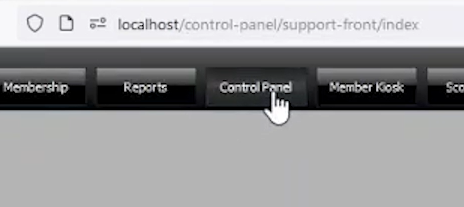
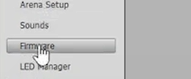
Go to the “Control Panel” tab at the top of the page, then click Firmware on the left side of the page
- Click the 'Modem' option
- Select the phaser/s you need to update.
- Set to Startup Mode
- Select Upload Firmware

Important notes during the update process
- This process can take about 5-10min to complete. Do not touch or power off the phaser during the update.
- Once the update is complete, the phaser will go through a reboot cycle which can take
5-10min to complete. Do not power off the phaser. - If the update fails and the phaser is still connected, please try the above steps again.
- If the phaser completes and does not connect back to the server automatically, activate the phaser network again.
- If it does not connect after activating it and the phaser modem shows No Info Available this means the modem is bricked and will need replaced.
Please contact Delta Strike support if you need assistance.