My Vest vibrator isn't working
Follow these steps if your laser tag vest isn't vibrating as it should. This is how to replace a front sensor vibrator, but it is a similar process for the back sensor vibrator.
Genesis – How to replace: Front Sensor Vibrator – MD 2006
Start by powering off the phaser by inserting the key into the slot in the back sensor. The phaser is off when all the lights have turned off.
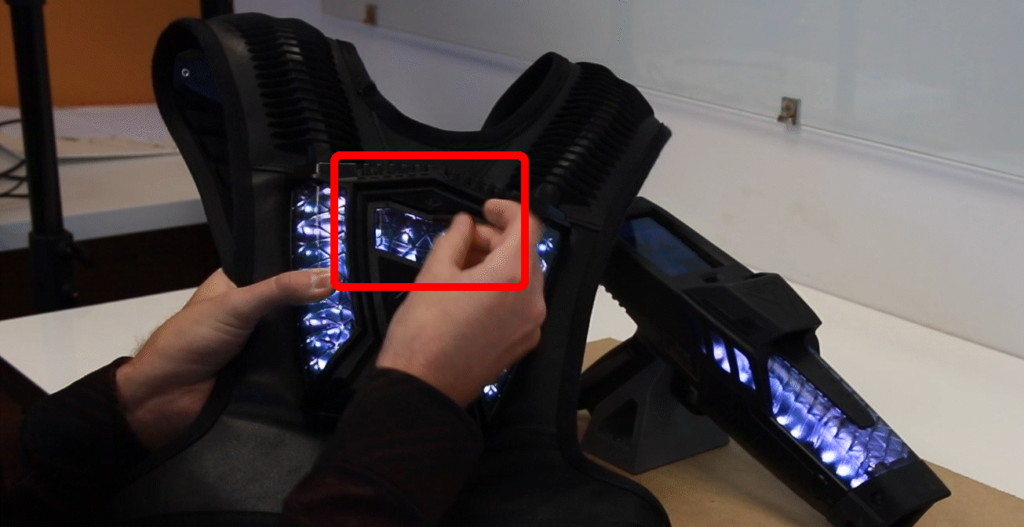 Always power off the unit before performing maintenance.
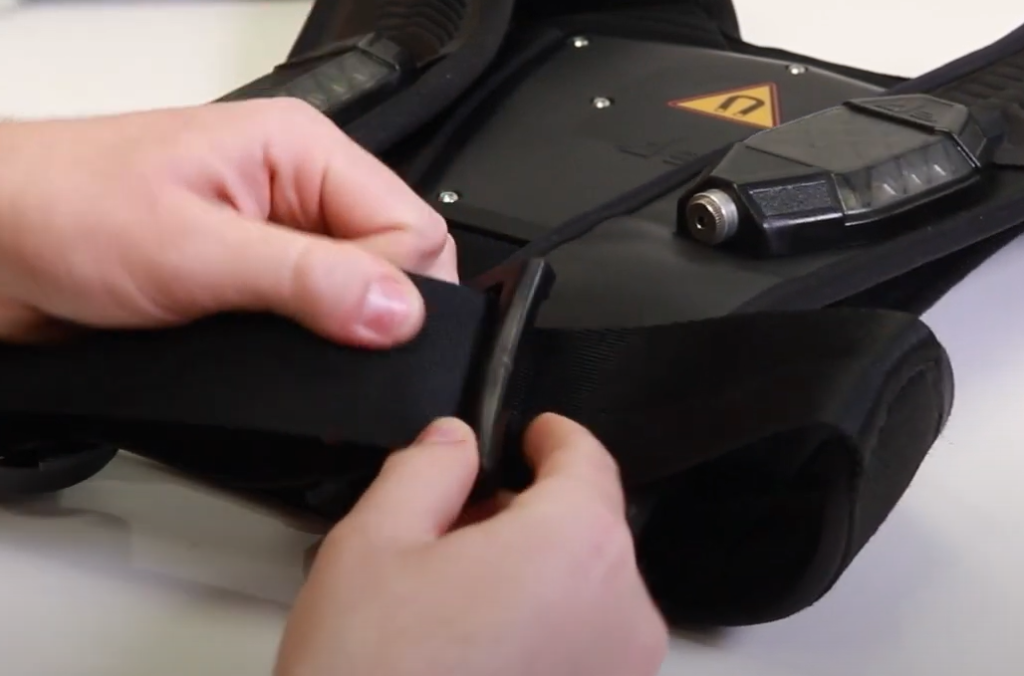
Undo the buckle strap by feeding the strap through the loops until it is completely undone.
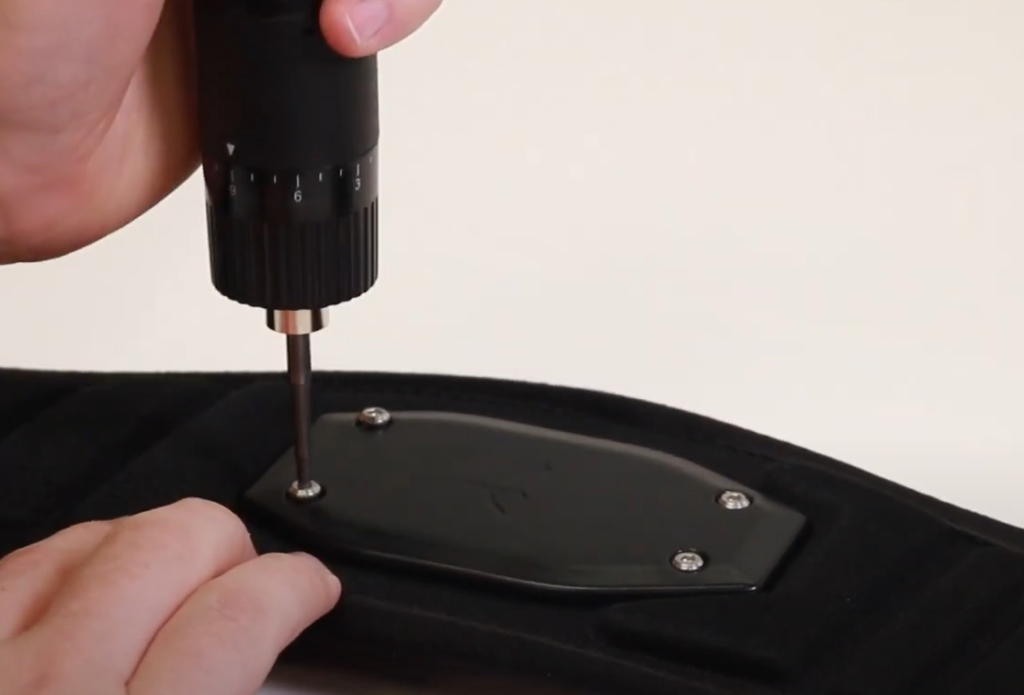
Flip the shoulder strap over to reveal the back plate of the front sensor. Use the hex driver to undo the screws on the plate. Ensure that it is set to 9, and the direction is in reverse.
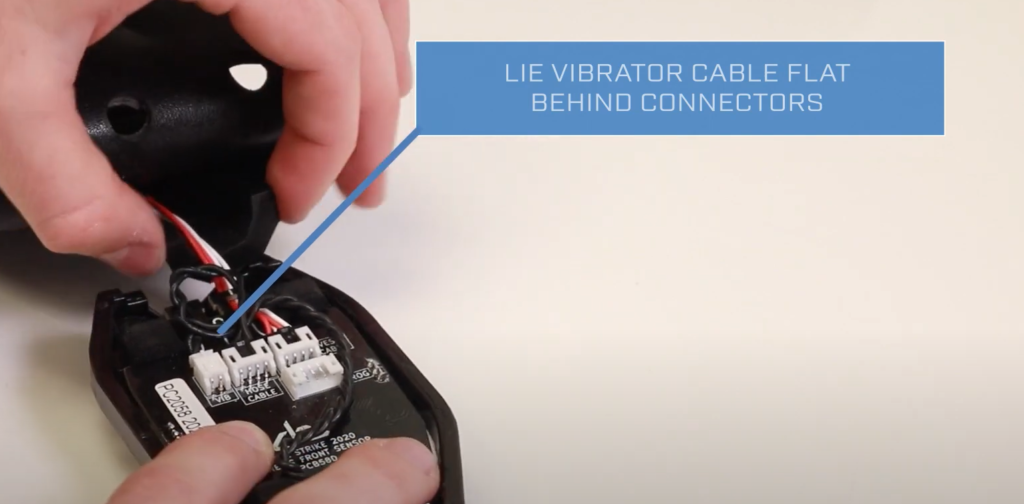
There three cables plugged into the PCB: The Vibrator, The Hose Cable, and The Vest Cable. Carefully take out the vibrator cable. To safely remove the cable, pull it straight out of the plug in the direction that it is plugged in.
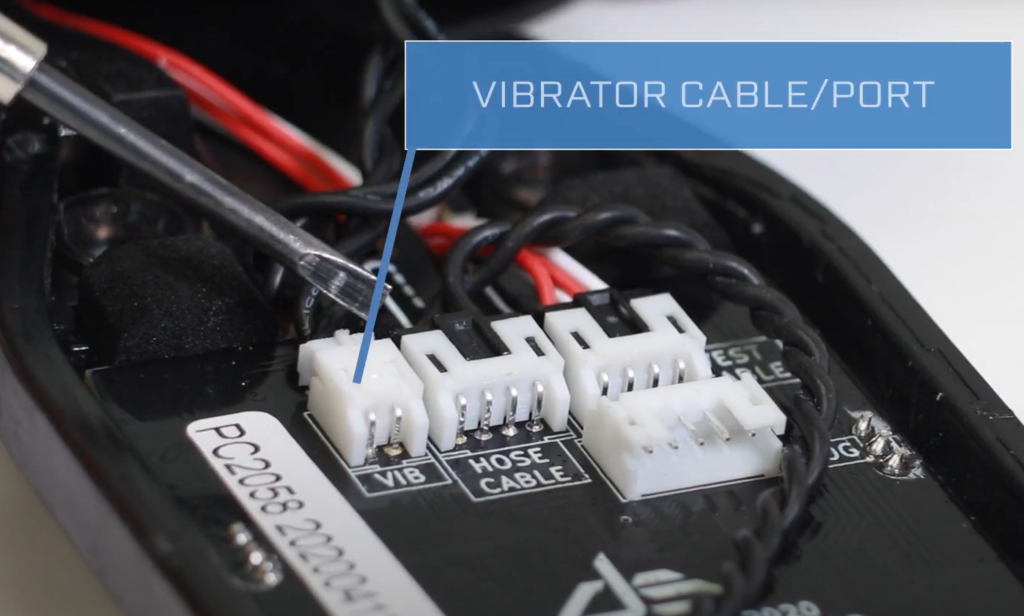
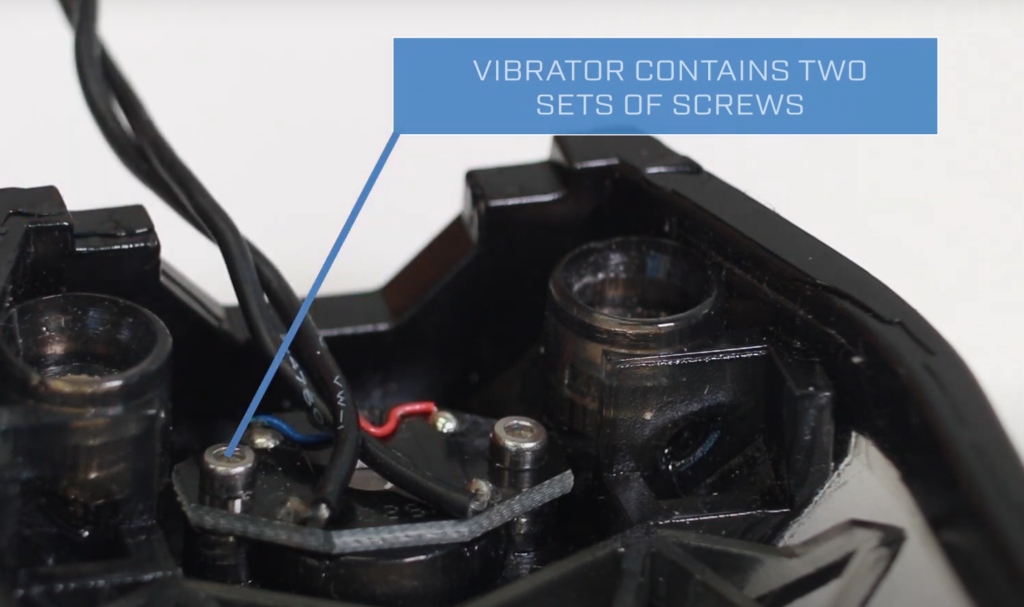
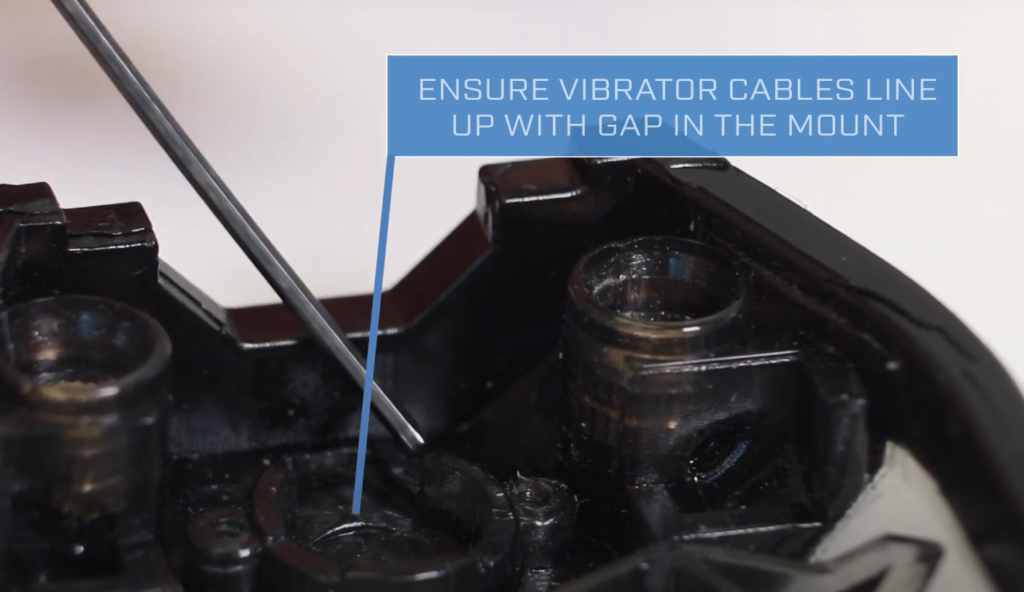
Use the small hex key to undo the screws holding the vibrator in place. When placing the new vibrator, ensure that the cables line up at the top where the gap is.
When inserting the PCB, retain the cables in their slots at the top of the board.
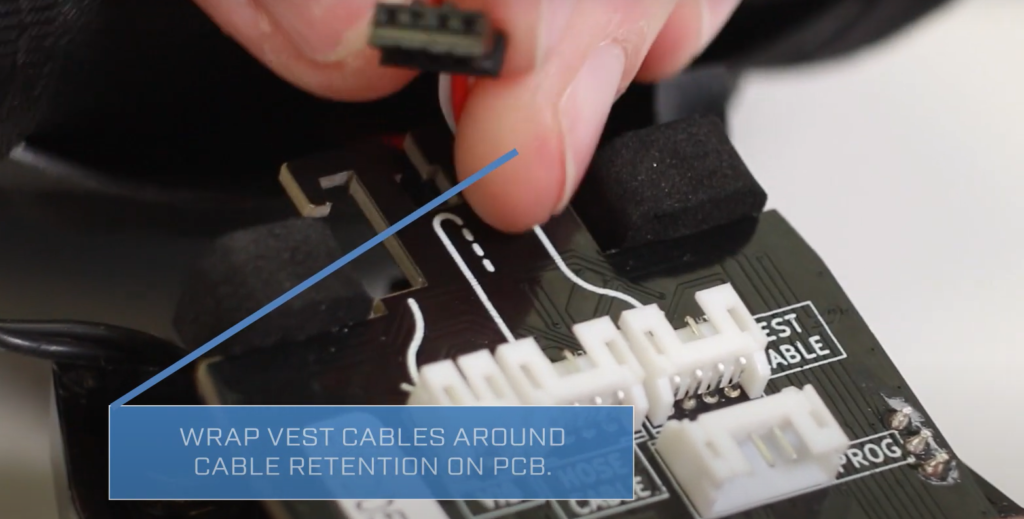
Ensure that the cables are tucked nicely at the top of the assembly before screwing the back plate on. There should be no cables visible through the holes for the back plate. Screw the back plate back on to the sensor.